What Is BodyCamera Shooter?
BodyCamera Shooter is a free browser-based first-person tactical shooter playable directly in HTML5 and WebGL with zero installation. Viewed through a high-distortion shoulder and helmet camera complete with timestamp overlays and harsh indoor contrast, BodyCamera Shooter drops you into tight industrial corridors, concrete stairwells, and barricaded rooms where every corner check counts.
Important note for players arriving from Steam searches: BodyCamera Shooter (distributed for web play via CrazyGames) is an independent, lightweight browser title—not Reissad Studio's paid Unreal Engine 5 PC release Bodycam. Because the Steam PC game requires Windows 10/11, 50 GB of SSD space, and at least an RTX 2070 or RX 5700 GPU, BodyCamera Shooter gives players on laptops, Macs, Chromebooks, and mobile phones an instant way to experience fisheye close-quarters gunplay in seconds.
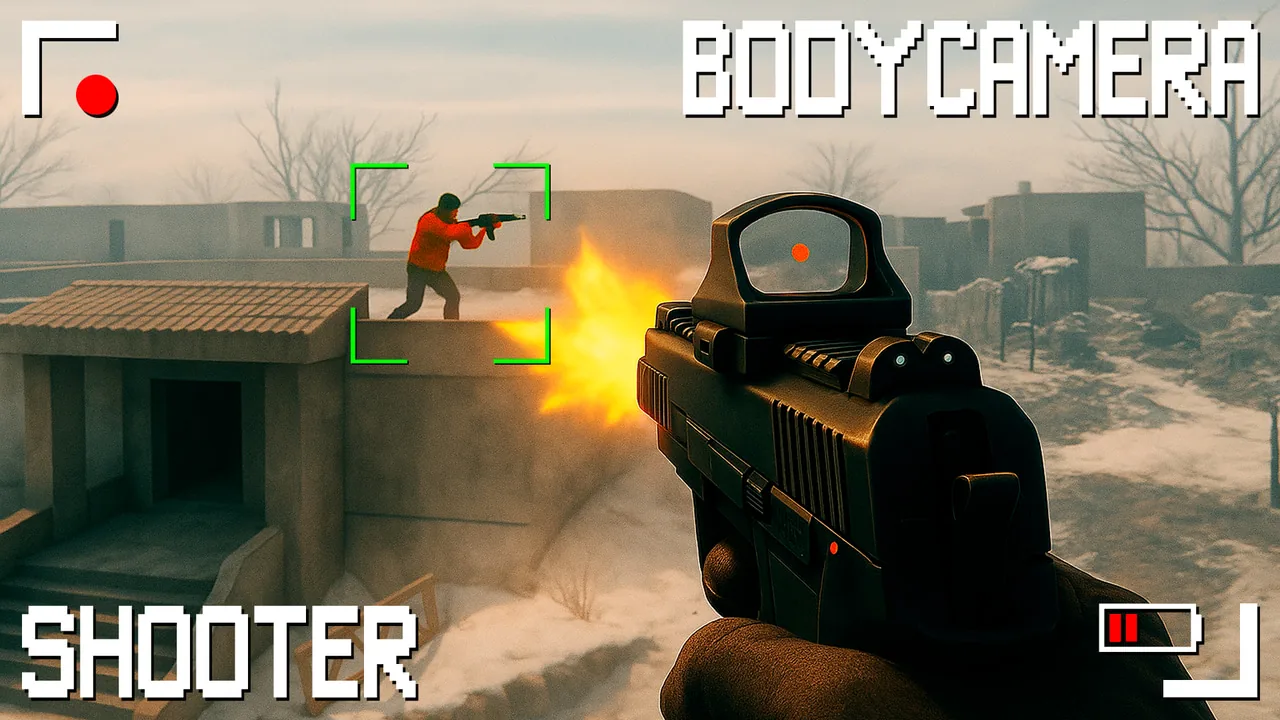
How to Play BodyCamera Shooter (Desktop & Mobile Controls)
Click Play BodyCamera Shooter inside the tactical monitor above to initialize the WebGL stream right in place. Once inside a stage, your objective is to methodically clear hostile combatants across multi-room floors without exposing your chest to crossfire.
| Action | Desktop Keyboard & Mouse | Mobile / Tablet Touch |
|---|---|---|
| Move / Strafe | W A S D or Arrow Keys |
Left Virtual Thumbstick |
| Aim Camera | Mouse Movement | Drag Right Half of Screen |
| Fire Weapon | Left Mouse Button (LMB) |
Tap / Hold Fire Icon |
| Aim Down Sights (ADS) | Right Mouse Button (RMB) |
Sight Toggle Button |
| Reload Magazine | R Key |
Reload Icon |
| Sprint / Reposition | Left Shift |
Push Stick Forward |
| Crouch / Low Peek | C or Left Ctrl |
Crouch Button |
| Pause / Cursor Unlock | Esc or Tab |
Top Menu Button |
CQB Room-Clearing Tactics That Win More Runs
Because BodyCamera Shooter amplifies weapon recoil and camera sway through its wide-angle lens, rushing into the middle of an room almost always gets you Eliminated from two angles at once. Use three real close-quarters habits instead:
- Slice the Pie Before Crossing Thresholds: Stand two steps back from an open doorway and strafe laterally in small arcs. Because the wide fisheye lens compresses peripheral edges, keeping doorways near the center third of your screen helps you spot dark silhouettes before they acquire line of sight on you.
- Pre-Aim Chest Height & Burst in Twos: Full-auto spraying pushes your barrel skyward within four shots. Tap or fire two-to-three-round bursts aimed at upper-chest height so the natural vertical kick carries the second round straight into the head hitbox.
- Reload Behind Solid Doorframes Only: Never hit
Rwhile standing inside a hallway intersection. Retreat two paces behind hard cover, top off your magazine, and listen for approaching footsteps before re-peeking. - Use Fullscreen HUD Mode: Click the Fullscreen HUD button right beneath the player stage (
⛶ Fullscreen HUD). Expanding the 16:9 viewport eliminates browser tab distractions and makes distant targets in dim rooms significantly easier to read.
Browser Troubleshooting & Smooth Frame Rates
If BodyCamera Shooter feels sluggish or takes extra seconds on the initial loading screen, check these quick browser settings:
- Enable Hardware Acceleration: In Chrome, Edge, or Brave, open
Settings → Systemand confirm Use graphics acceleration when available is toggled on so WebGL renders on your GPU instead of software CPU emulation. - Close Heavy Background Video Tabs: High-resolution streams compete for VRAM on integrated laptop graphics.
- Mobile Landscape Orientation: On iOS Safari or Android Chrome, tap Fullscreen HUD and rotate your phone horizontally so your thumbs don't block the center sight picture.
Ready to compare this browser experience with the full Unreal Engine 5 PC title? Head back to our Bodycam Game Overview or inspect the Steam PC System Requirements and v0.9 Zombie Mode Survival Guide.
Player Comments ()