Official Bodycam Steam System Requirements (Windows PC)
Before purchasing Bodycam on Steam (App ID 2406770, $33.32 USD standard Early Access price), verify that your desktop or gaming laptop meets Reissad Studio's official hardware baseline. Because Bodycam renders dense photogrammetry environments, real-time dynamic flashlight shadows, and Unreal Engine 5.5 virtual textures, GPU VRAM capacity and fast SSD storage matter far more here than in lightweight competitive shooters.
| Hardware Component | Official Minimum Specification | Official Recommended Specification |
|---|---|---|
| Operating System | Windows 10 / 11 (64-bit required) | Windows 10 / 11 (64-bit required) |
| Processor (CPU) | AMD Ryzen 7 3700X or Intel Core i7-9700K | AMD Ryzen 7 3800X or Intel Core i7-10700K |
| System Memory | 8 GB RAM | 16 GB RAM (Dual-Channel DDR4/DDR5) |
| Graphics Card (GPU) | AMD Radeon RX 5700 (8 GB) or NVIDIA GeForce RTX 2070 (8 GB) | AMD Radeon RX 6600 XT (8 GB) or NVIDIA GeForce RTX 3060 (12 GB) |
| Network | Broadband Internet connection | Wired Ethernet Broadband (low jitter for PvP) |
| Storage Space | 50 GB available space (SSD Recommended) | 50 GB NVMe M.2 SSD |
| Anti-Cheat (v0.9+) | Easy Anti-Cheat (installed automatically via Steam) | Easy Anti-Cheat (installed automatically via Steam) |
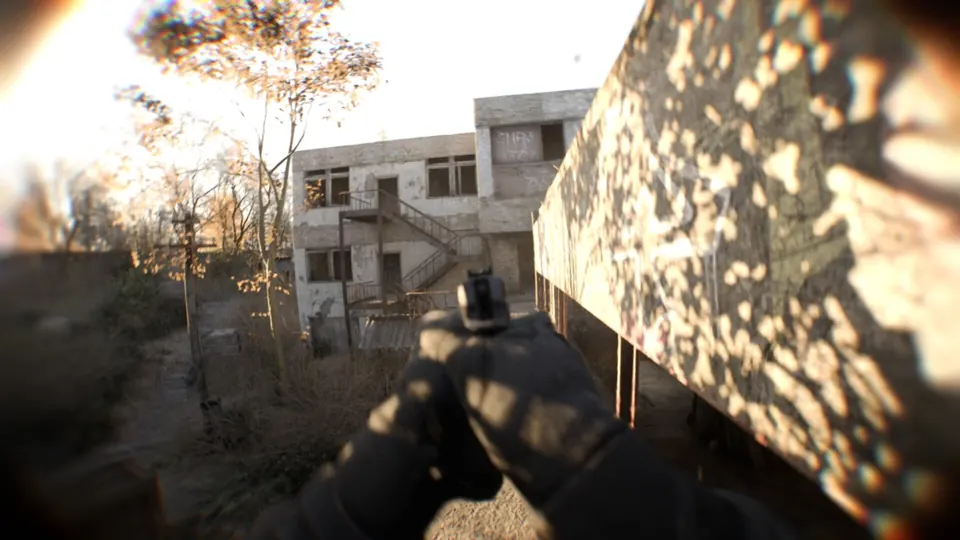
Why 8 GB VRAM & NVMe SSDs Are Critical in UE5.5
Following the v0.8 Locked & Loaded and v0.9 The Dead & Damned updates, Bodycam streams high-resolution surface decals, volumetric fog (especially on Village and rain-soaked Zombie Trenches), and full-body True Body ragdoll animations simultaneously:
- Avoid Mechanical Hard Drives (HDDs): Installing a 50 GB Unreal Engine 5 shooter on a spinning HDD causes severe asset-streaming hitches during your first two rounds on every map and delays lobby loading. Always install on an internal SATA or NVMe SSD.
- 8 GB RAM vs. 16 GB RAM: While 8 GB system memory boots the client on Minimum settings, Windows 11 plus Easy Anti-Cheat and voice chat will spill into pagefile swap during 10-player firefights. Upgrading to 16 GB dual-channel RAM is the single cheapest way to eliminate 1% low frame drops.
- 6 GB Laptop GPUs (RTX 3050 / GTX 1660 Ti): Cards below the 8 GB RTX 2070 / RX 5700 floor must drop Texture Pool budgets to Low and run Quality or Balanced upscaling at 1080p to prevent VRAM exhaustion stutters.
Best Bodycam Graphics Settings for High FPS & Clear Night Visibility
Unlike cartoon shooters where turning every setting to Low gives a competitive edge, dropping lighting or post-processing blindly in Bodycam can crush shadow detail in dark stairwells. Use this balanced preset tested for RTX 2070 / RTX 3060 / RX 6600 XT tier rigs:
| Graphics Option | Competitive FPS Setting | Why It Matters |
|---|---|---|
| Display Mode | Fullscreen (Exclusive) | Minimizes input latency and guarantees proper G-Sync / FreeSync pacing. |
| Upscaler (DLSS / TSR / FSR) | Quality at 1080p · Balanced at 1440p | Reclaims 25–40% GPU headroom while keeping distant doorway edges crisp. |
| Global Illumination | Medium | Preserves indirect bounce light in dark rooms without Ultra ray-cost spikes. |
| Shadows | Medium | Keeps flashlight and player shadow cues visible around corners at half the GPU cost. |
| Textures | Medium (8 GB VRAM) · High (12 GB+ VRAM) | Prevents VRAM spillover hitching on RTX 2070, RTX 3060 Ti 8GB, and RX 6600 XT. |
| Effects & Volumetric Fog | Low / Medium | Stabilizes frame times during grenade blasts and Zombie Trenches rainstorms. |
| Motion Blur | Off or Low | Turning off extra blur makes quick 90-degree point-shooting snaps far cleaner. |
Fixing First-Match Shader Stutter & Steam Launch Issues
- Let Initial Shaders Compile in the Lobby: After every GPU driver update or major Steam patch (like v0.9), walk through the lobby—including the new TRYP FPV drone room—for 60 seconds before queuing 5v5 Body Bomb so pipeline caches warm up.
- Verify Steam Files & Easy Anti-Cheat: If the game closes at launch after patching to v0.9, right-click Bodycam in Steam →
Properties → Installed Files → Verify integrity of game filesso Steam repairs Easy Anti-Cheat service permissions. - Computer Below Spec? If you are on macOS, ChromeOS, or integrated graphics, play our free zero-install browser FPS BodyCamera Shooter, browse ranked low-spec and console picks in Games Like Bodycam, or continue reading our Bodycam Wiki & Controls and v0.9 Patch Notes.